


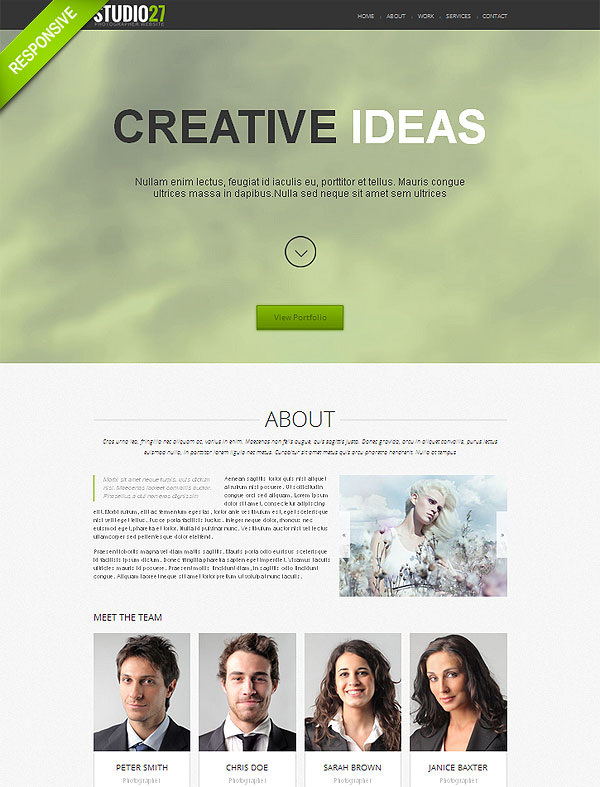
Single page type design is very convenient if you’re aiming at a curt concise website which can in the most quick and efficient way represent yourself, your occupation, business or services you provide, supplying the visitors with the most essential information on the subject. Basically one page website is an extended business card, whos main purpose is to draw audience’s attention to its subject, arouse interest in it and give them tools to make contact with the object of their interest. When all the content is available within one scroll the time between the site’s first visit and applying the information it provides the visitor with is the shortest.
Photo Portfolio Responsive One Page Theme
20 Online Store Web Templates
When setting out to create an online store and looking for a suitable template it’s important to be aware of a variety of formats a webstore can exist in. Each format would warrant a specific type of templates meeting its requirements. Based on the knowledge of the existing formats one can make an educated decision as to the type of templates he/she should be looking for. Such specialty software solutions as Prestashop, Magento and osCommerce themselves serve as a webstore back office, whereas such CMS solutions as Joomla, WordPress and Drupal require ecommerce plugins to be turned into a webstore. So it’s either an ecommerce engine which needs a design in the case of the former or a design which needs and engine in the case of the latter. For the latter the most popular ecommerce plugins are WooCommerce (WordPress) and Virtuemart (Joomla). Yet the third type of ecommerce templates, standalone HTML or Flash templates lacking the back office facility and pluggable software solutions, can be linked to the owner’s PayPal page for orders processing. Thus when selecting a template for your online store it’s essential to find out what platform it is compatible with, what tools the package includes for an online store setup and how flexible the design is for that purpose.

If you run a real estate website you don’t have to confine yourself with one particular platform. As you will be able to learn from our overview, there’s a variety of real estate themed designs for different platforms, such as the popular WordPress, Joomla and Drupal. This abundance is further enriched with designs based on standalone HTML and Flash templates.
Comfort Real Estate WordPress Theme

Facebook is already 8 years old! Launched at the beginning of a social network era, Facebook has conquered more than one billion active users nowadays. It is without a doubt the most popular social network on the planet. It’s not only a place of meeting and flirting, but also a great market niche for almost any company, product or service online. We won’t be the first to write about the advantages of Facebook for your online business. Taking into account that the field of social networking progresses with a light speed, we won’t be the last to have touched this kind of topic, either.
Let’s skip all the details of how cool Facebook will be in a few years and start the topic of Facebook present. Not so long ago, Facebook page templates became another big thing for Facebook users and their profiles. Since everybody moved to timeline, we have the option now to place whatever image we want at the top of our profiles. By the way, have you noticed how, slowly but confidently, we are getting accustomed to Facebook timeline templates and the whole redesign?! And it’s only the beginning. Get ready for more. Facebook cover template is something that will make your potential visitor/client/buyer come and see what you do/offer/sell. Need to mention that all the best Facebook pages are made with the help of templates and covers. Your page is next! Facebook is a monster machine for promoting you and your profile. Facebook fan page template is another great opportunity to engage more visitors. Facebook cover templates also have great SEO, so even if you end up doing nothing with your page, it’s still a good idea just to keep it “breathing”.
Education rules the nation! Kindergartens, schools, colleges, universities give us a chance to become a part of social life. They broaden our horizons and teach us how to be who we are. Some people spend the whole life studying something, mastering their skills and increasing their IQ level.
The reason why we decided to talk about educational website design is the relevancy of this topic in the modern world. Educational websites gain their popularity day by day. Choosing the right school or kindergarten for their kids, parents mostly rely on Internet resources. The same situation touches student audience, too. Different researches have proved that users make aesthetic decisions about the overall visual impression of any web page in as little as 50 milliseconds. The importance of first impression can play a great role for your web service. Taking into account that the potential visitors of such websites are mostly young people, website owners have to follow all the newest trends of Educational website style. A weighty part in this case also takes information. Site has to be a source of any kind of information concerning educational process, conditions and regulations.
Let us make it clear: what makes educational sites successful?
- Call-to-action. The goal of your site is to involve more clients to your school, kindergarten, etc. Make them want to visit your institution. Show the advantages of it, use more photo and video materials.
- Well-built structure. Education services tend to have a lot of content including schedules, documentation for each program, reports and so on. Make sure your content is easy to search around and features clear navigation that makes sense to your visitors.
- Make it look smart. The visitors associate your website with what your school does. The better it is presented online, the better opinion the visitors will have about your work.


